
Lab setup data from the Pluralsight course on:
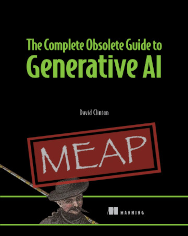
The Complete Obsolete Guide to Generative AI (from Manning) is a lighthearted look at programming with AI, as well as a rock-solid resource for getting the most out of these insanely powerful services. Let it be your guide to analyzing massive data sources, summarize pages and pages of text, and scour the live internet.
Important Keycloak links:
- The Keycloak home page
- The official Keycloak Quickstart (GitHub)
- Sample Keycloak realm config (JSON)
- Johannes Reppin’s working repository
Launching a Docker container (Bash script):
docker build -t webserver .
docker images
docker run -d webserver

# Dockerfile contents:
FROM ubuntu:18.04
RUN apt-get update
RUN apt-get install -y apache2
ADD index.html /var/www/html/
CMD /usr/sbin/apache2ctl -D FOREGROUND
EXPOSE 80
docker-compose.yaml
version: '3'

services:
  postgres:
      image: postgres
      volumes:
        - postgres_data:/var/lib/postgresql/data
      environment:
        POSTGRES_DB: keycloak
        POSTGRES_USER: keycloak
        POSTGRES_PASSWORD: password
  keycloak:
      image: quay.io/keycloak/keycloak:legacy
      environment:
        DB_VENDOR: POSTGRES
        DB_ADDR: postgres
        DB_DATABASE: keycloak
        DB_USER: keycloak
        DB_SCHEMA: public
        DB_PASSWORD: password
        KEYCLOAK_USER: admin
        KEYCLOAK_PASSWORD: admin
        #JDBC_PARAMS: "ssl=true"
      ports:
        - 8080:8080
      depends_on:
        - postgres
      volumes:
        - keycloak_data:/opt/jboss/keycloak/standalone/data
        - keycloak_config:/opt/jboss/keycloak/standalone/configuration
volumes:
  keycloak_data:
  keycloak_config:
  postgres_data: